

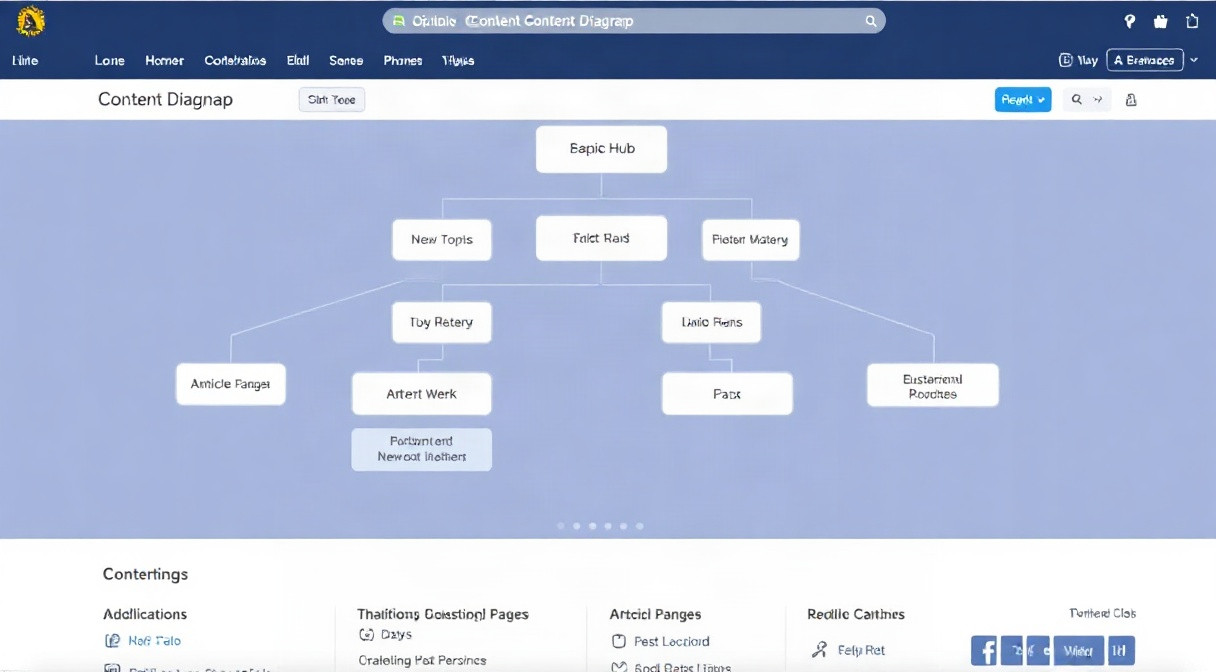
A growing website can publish useful articles and still struggle to show search engines how its pages fit together. A seo silo structure gives related content a clear hierarchy, connects supporting pages to central resources, and helps visitors move naturally from broad topics to specific answers. It is not a shortcut to rankings; it is a practical way to organize expertise so both people and crawlers can understand it.
This guide explains how to audit existing pages, group topics by intent, design an effective internal linking architecture, and measure whether your structure is working. You will also see where strict silos help, where they create problems, and how to refine your plan as your site grows.
1. Define What a SEO Silo Structure Should Solve
Before drawing a hierarchy, identify the problem you want to fix. A seo silo structure can help clarify a site with overlapping articles, make important pages easier to reach, and show how supporting resources relate to a core subject. It cannot make thin content authoritative by itself. If pages lack original value, the first task is improving the information, not moving URLs into folders.
Start by reviewing the site from three perspectives: user needs, search intent, and current performance. Export URLs from your CMS or crawl the site with a crawler such as Screaming Frog. Combine that list with data from Google Search Console, including clicks, impressions, queries, and indexed status. The crawler reveals links, depth, canonicals, and status codes; Search Console shows which pages already earn visibility and what searches trigger them.
Classify each URL by its primary job. A page might introduce a subject, compare solutions, explain a process, answer a narrow question, or convert a qualified visitor. These distinctions matter because pages aimed at different intents can support one another, while two pages targeting the same intent may compete. For example, a broad guide to home insulation and a detailed article on attic insulation can coexist if their scope and purpose are genuinely distinct.
Look for structural symptoms rather than assuming every site needs classic silos. Common signals include high-value pages buried several clicks deep, related articles with no contextual links between them, category pages that add no useful navigation, and multiple URLs answering nearly identical queries. You may also find orphan pages: URLs that exist in the sitemap but have no internal links. The guide to finding and fixing orphan pages offers a useful companion process for this audit.
Write down a baseline before changing anything. Record organic clicks and impressions for priority page groups, the number of crawlable pages, internal link counts to key URLs, and the click depth of important resources. Take care not to treat raw links as a ranking score; they are diagnostic clues. A page with many irrelevant links is not necessarily better supported than a page with a few precise, useful references.
Use the audit to state a measurable objective, such as making every core guide reachable within three clicks or consolidating overlapping articles into one stronger resource. Document what should change and what must stay stable, especially URLs with valuable backlinks or steady traffic. That baseline helps you separate the effect of structural improvements from seasonality, content updates, and unrelated technical changes.
2. Map Topics and Search Intent Before Building the Hierarchy
Once the audit is clear, map subjects around the problems your audience is trying to solve. Effective topical authority clustering is not simply a collection of pages that repeat the same keyword. It is a set of complementary resources that cover distinct questions, stages, and decisions within a topic. The hub should serve a broad need, while supporting pages add depth without becoming near-duplicates.
Begin with keyword and query research, then group terms by intent and subject rather than by superficial wording. A keyword tool can suggest related queries and estimated demand; Search Console can reveal the language people already use to find your site. Validate each proposed page against the current search results. If one result set consistently answers several query variations, those terms may belong on one comprehensive page. If results and user needs differ, separate pages may be justified.
For a financial planning site, for example, a retirement planning hub might connect to guides on contribution limits, withdrawal strategies, tax considerations, and choosing an account. A page about withdrawal rules should answer that specific question and link back to the broader planning guide. It should not duplicate the hub’s entire introduction. This arrangement helps readers choose a useful next step and gives each URL a clear role.
Create a content map with one row per existing or proposed URL. Include the primary topic, intended audience, search intent, funnel stage, parent page, supporting pages, and action the reader should take. Mark pages as keep, improve, merge, redirect, or remove only after reviewing their content, traffic, backlinks, and business value. A low-traffic article may still provide an important answer or support a conversion path, so traffic alone is not a deletion rule.
Use a simple table or spreadsheet before adopting a complicated software workflow. A visual map can then reveal gaps and overlaps more quickly than a long keyword export. If writers need a repeatable brief, the SEO content brief template can help translate a page’s role, intent, and supporting evidence into instructions for production.
Choose a hierarchy that reflects how people think, not just how a team is divided internally. A product category may belong to several audiences, and a guide may answer questions that cross category boundaries. Avoid forcing every URL into one rigid branch if doing so makes navigation unnatural. A good map gives every page a primary home while still allowing relevant cross-topic connections where they genuinely help users.
Finally, set boundaries for each cluster. Define what the hub covers, what supporting pages own, and which questions should not become separate pages. These boundaries reduce cannibalization and make future briefs more consistent. Revisit them when search results change or new products and questions emerge; a content map is a working model, not a permanent taxonomy carved into the site.
3. Design an Internal Linking Architecture That Guides Readers
A strong internal linking architecture turns the content map into useful paths through the site. Links should help a reader understand a term, compare options, continue a process, or return to a broader explanation. They also help crawlers discover URLs and interpret relationships. The goal is not to maximize the number of links on every page; it is to make important relationships clear, relevant, and easy to follow.
Give each cluster a central page that summarizes its subject and links to the most useful supporting resources. Supporting pages should link back to the hub when a broader overview would help, and to sibling pages when there is a meaningful next step. This creates a recognizable pattern without requiring every page to link to every other page. For example, an article about selecting insulation might link to material comparisons and installation guidance, but not to an unrelated financing article unless the context warrants it.
Place links in the body where the surrounding sentence explains why the destination matters. Descriptive anchor text should set a clear expectation: “compare attic insulation materials” is more informative than “read more.” Vary wording naturally rather than repeating the same exact-match phrase across every page. Anchor text should describe the destination accurately, not promise a benefit or answer that the linked page does not provide.
Navigation menus, breadcrumbs, related-content modules, and contextual links have different jobs. A menu provides broad access to important sections; breadcrumbs show a page’s location; related modules suggest additional reading; contextual links explain a specific connection in the content. Use more than one pattern where it improves usability, but avoid cluttering a template with repetitive links that add little value. Check the rendered page on mobile as well as desktop, since cramped modules can become difficult to use.
Build rules into your publishing workflow. Before a new page goes live, identify its parent or primary hub, add at least one relevant inbound link from an established page, and confirm that it links to useful next steps. When publishing a new guide, revisit older pages that can naturally point to it. This is often more effective than waiting for automated related-post widgets to discover the connection.
For a practical example, imagine a software company with a hub on project management. A guide to sprint planning links to the hub, a team estimation guide, and a relevant workflow tutorial. The estimation guide links back to the hub and to sprint planning where the relationship is clear. The link pattern supports exploration without turning every page into a link directory. If the user’s next action is to choose a tool, a product comparison may be a logical bridge, even if it sits in another section.
Keep cross-links when they are useful. A seo silo structure is not a rule that prohibits links across categories; strict isolation can block valuable paths and make the site harder to navigate. Instead, make the primary relationship obvious while allowing secondary links for genuine connections. Review link targets after mergers, redirects, or URL changes, and remove links that lead to outdated or irrelevant destinations.
4. Implement the Structure Without Creating Crawl or URL Problems
After mapping pages and links, implement changes in an order that limits risk. A seo silo structure can use categories and subcategories, but a folder path alone does not establish topical relevance. Search engines can discover relationships through internal links and page content even when URLs do not mirror a perfect taxonomy. Do not change URLs merely to make a diagram look tidy if the existing addresses are stable and valuable.
First, decide whether the current URL system needs to change. If URLs are descriptive, short, and consistent, retain them and improve navigation and contextual linking. If the site has confusing duplicate paths or an obsolete structure, plan redirects carefully and map each old URL to the closest relevant replacement. Avoid sending many unrelated pages to one generic destination; that can confuse users and fail to preserve the original page’s purpose.
Check that important pages are crawlable and indexable. Review status codes, robots directives, canonical tags, pagination, and rendered links in your crawler. Internal links should normally point to the preferred canonical URL rather than a redirect or duplicate. Do not rely on a sitemap as a substitute for internal links: a sitemap can help disclose URLs, but it does not show visitors how pages relate or provide the same navigation signals as contextual links.
Use crawl depth as a diagnostic, not an absolute quality measure. If a priority guide is many clicks from the homepage, consider whether it needs a more prominent category placement or links from related high-value pages. But a shallow URL is not automatically useful, and adding a link to every page from the homepage can dilute navigation. The right depth depends on site size, audience needs, and the prominence of the subject.
A crawler report can expose practical issues: pages with no incoming internal links, broken internal links, redirect chains, inconsistent canonicals, and pages with excessive depth. Pair those findings with a manual review. A crawler cannot reliably decide whether a link makes sense in context or whether two articles answer different user needs. For larger sites, compare crawl data before and after implementation, and inspect a sample of important URLs in Google Search Console.
Roll out changes in manageable batches. Start with one topic group, update the hub and its supporting pages, test navigation, and verify redirects and canonical behavior before applying the pattern elsewhere. Keep a change log that records the URL, action, date of deployment, and reason. This helps diagnose unexpected traffic shifts and makes it easier to reverse a faulty redirect or repair a template issue.
Technical structure should support the editorial model rather than dictate it. A seo silo structure that creates deeply nested folders, duplicate category pages, or forced cross-links may be less effective than a simpler design. If a content management system automatically generates tag archives, assess whether those pages offer real value and unique navigation. Thin, duplicate archives can waste crawl attention and clutter search results, so control them deliberately instead of allowing every tag to become an indexable landing page.
5. Measure Results and Refine Your Topic Clusters
Measure outcomes at the level of both individual pages and related groups. The purpose of topical authority clustering is to make a useful body of content easier to discover and understand, so look for evidence across the cluster rather than expecting every URL to rise at once. Track organic clicks, impressions, query coverage, and conversions for the hub and supporting pages, and compare similar time periods where seasonality matters.
In Google Search Console, use page and query filters to see whether the intended URLs are appearing for relevant searches. Check whether a hub earns broader queries while its supporting pages attract more specific ones. If several URLs receive impressions for the same intent and alternate in results, investigate overlap. The solution may be clearer differentiation, stronger internal links, a content merge, or a redirect—not necessarily adding more pages.
Track structural indicators as well. Monitor the number of orphan pages, broken internal links, redirecting link targets, and click depth for key resources. Compare crawl exports after each major change. A rise in indexed pages is not automatically good: it may reflect duplicate archives or low-value URLs. Likewise, fewer indexed URLs can be healthy if you consolidated redundant pages while preserving useful information on a stronger destination.
Use a dashboard that combines Search Console, analytics, and crawl data. Analytics can show whether visitors continue to related content or complete an intended action; Search Console connects pages to search visibility; a crawler provides link and technical diagnostics. Each tool answers a different question. Do not attribute a ranking change to internal linking alone when content quality, competition, site changes, and external signals may also have shifted.
Review clusters on a regular schedule that fits publishing volume and subject volatility. For a fast-changing topic, reassess more frequently; for a stable reference section, a less frequent review may be sufficient. Look for outdated facts, unanswered questions in query data, pages that receive links but do not satisfy intent, and new resources that have no incoming links. Prioritize fixes by likely user impact and business relevance rather than by the easiest items in a report.
When results disappoint, diagnose before rebuilding. If a hub has impressions but few clicks, review whether its title and description accurately communicate value and match the search intent. If supporting pages are crawled but rarely indexed, assess originality, usefulness, duplication, and internal discovery. If users reach the hub but do not continue, improve its summaries and navigation. Different symptoms point to different remedies; adding more links is rarely a complete answer.
Document experiments with a hypothesis and a defined measurement window. For example, you might predict that adding contextual links from six established guides will make a new resource easier to discover. Record the changes and watch crawl discovery, impressions, clicks, and engagement. Search performance is affected by many variables, so use the findings as directional evidence, not proof of a guaranteed ranking effect. Keep what improves usefulness and clarity, and revise what creates friction.
For further reading, see Google Search Central.
For further reading, see the Moz SEO learning centre.
Frequently Asked Questions
Is a seo silo structure still useful for modern SEO?
Yes, when it describes a logical organization of relevant content rather than a rigid rule that forbids cross-links. Clear hierarchies help people navigate and can help crawlers discover important pages. The value comes from useful content, clear page roles, and relevant links—not from naming folders “silos.”
How many supporting pages should each topic cluster have?
There is no ideal fixed number. Create a supporting page when it serves a distinct intent and can deliver enough unique value. A focused cluster may have a few resources, while a broad subject may need many. Do not publish pages solely to make a cluster look complete.
Should every supporting page link to every other page?
No. Connect pages where the relationship is useful to readers. A hub can link to its key resources, and supporting pages can link back or across when there is a logical next step. A complete web of forced links can make pages harder to scan and weaken the clarity of navigation.
How often should I review my internal linking architecture?
Review it whenever you publish, merge, or retire important content, and schedule broader audits based on site size and how quickly the subject changes. Check for orphan pages, broken targets, and outdated links during routine crawls. Reassess performance after enough time has passed to gather meaningful data.
Conclusion: Build a Structure That Serves the Reader
A useful seo silo structure starts with clear page roles, groups content by real audience needs, and connects resources through relevant links. Audit before reorganizing, protect valuable URLs, and use crawl and search data to guide decisions. Avoid treating exact-match anchors, arbitrary folder depth, or a high page count as signs of authority.
Make one cluster better first, measure what changes, and refine the approach before expanding it sitewide. For more practical guidance on planning and improving your search strategy, explore the resources at GlobalSEOFlow.