

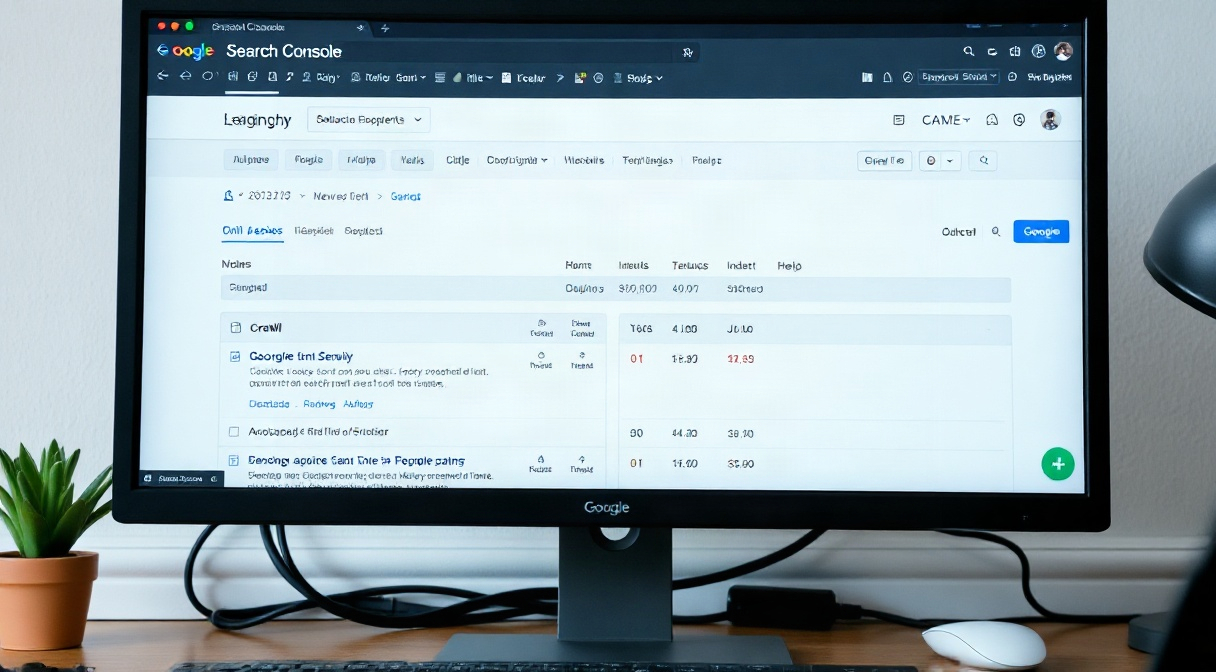
When a useful page is missing from search results, the cause may be a crawl barrier, an indexing directive, a canonical mismatch, or simply a page Google has not chosen to index. Resolving indexability issues seo requires more than checking whether a URL appears in a sitemap: you need to trace how search engines discover, crawl, render, and evaluate that page.
This guide gives you a repeatable diagnostic process for finding the cause and validating a fix. It covers Google Search Console, robots.txt, noindex directives, canonical tags, JavaScript rendering, and the checks that prevent a temporary repair from becoming a recurring issue.
Diagnose Indexability Issues SEO Before Changing Anything
Start by defining the symptom precisely. Is one URL absent, a whole folder missing, or a group of similar pages disappearing? Compare affected URLs with pages that perform normally. A pattern often points to a shared template, deployment, access rule, or internal-link problem; an isolated URL may have a page-specific directive or quality issue.
In Google Search Console, open URL Inspection and test a representative affected URL. Review whether the URL is on Google, the last crawl date, the crawl allowed status, page-fetch result, indexing allowed status, and the user-declared and Google-selected canonical URLs. Use the live test to check the current accessible version, but remember that a successful live test does not guarantee that Google will index the page.
Next, inspect the report at the appropriate scale. The Page Indexing report groups known URLs by reasons such as blocked by robots.txt, excluded by noindex, duplicate without a user-selected canonical, and crawled but currently not indexed. Export examples from each relevant group. A status label is a lead to investigate, not a diagnosis by itself.
Confirm that the page returns the intended HTTP status. A valuable landing page should usually return 200; a 404, soft 404, 5xx error, redirect, or authentication challenge can explain why it is unavailable or excluded. Check both desktop and mobile user agents where relevant, and compare the response in a browser with the response fetched by a crawler. A browser may have cookies or permissions that Googlebot does not.
Separate discovery, crawling, and indexing
These stages are related but distinct. Discovery happens when a crawler finds a URL through links or a sitemap. Crawling is the request and retrieval of that URL. Indexing is the decision to store and potentially show its content. A page can be discoverable but blocked from crawling, crawled but excluded, or indexed under a different canonical URL.
That distinction prevents wasted fixes. Adding a URL to a sitemap cannot override a noindex directive, and removing a robots.txt block does not make thin or duplicate content automatically indexable. If the site uses substantial client-side rendering, check whether the meaningful content and internal links appear after rendering. See the practical checks in this guide to JavaScript SEO rendering issues.
Keep a small audit sheet with the URL, observed status, expected status, evidence, suspected cause, owner, and retest date. Record the exact response headers and page directives rather than relying on memory. When several URLs share a template, test one example from each template before proposing a sitewide change.
Finally, compare Search Console data with a reliable crawler such as Screaming Frog or Sitebulb. A crawler can reveal patterns across many URLs—status codes, meta robots values, canonicals, and link depth—while Search Console shows Google’s reported view. Used together, these tools narrow down indexability issues seo without confusing a crawl symptom with an indexing decision.
Find and Fix Robots.txt Blocking Safely
Robots.txt tells compliant crawlers which URL paths they may request. It does not remove a URL from Google’s index by itself. A blocked URL can still appear in results if Google learns about it from links, though it may show limited information because Google cannot fetch the page. This is why robots.txt blocking is not a substitute for a noindex directive.
Open the robots.txt file at the site root for the relevant host and protocol, such as the HTTPS version of the domain. Check every user-agent group, its Disallow and Allow rules, and any sitemap declarations. A rule aimed at Googlebot may behave differently from a wildcard rule, and a path rule can affect more URLs than intended. The order and specificity of rules matter, so do not assume a line applies only to the page you had in mind.
Common accidental barriers include Disallow: / left over from a staging environment, a disallow rule for /products/ that blocks all product detail pages, and a rule for a folder name that also matches an important resource path. Another common mistake is editing the robots.txt file on one subdomain while Google is crawling another. Each protocol, hostname, and subdomain has its own file.
Test the exact URL path
Use Search Console’s robots.txt report or an established robots tester to evaluate the affected URL against the live file. Check the exact capitalization and path, including parameters where applicable. Then use URL Inspection to see whether Google reports crawling as allowed. Keep a copy of the previous file and test proposed changes against both the blocked URLs and paths that must remain restricted.
Suppose an ecommerce team wants to stop crawling internal search results but accidentally blocks /shop/, where product pages live. Narrow the rule to the actual search path, such as /search/, after confirming the URL structure. Do not paste an example rule blindly: parameters, directory names, and platform routing vary between sites.
If a page needs to be removed from search, allow Googlebot to crawl it and use an appropriate indexing directive, or return a suitable removal response when the content is gone. If robots.txt currently blocks the page, Google cannot read a page-level noindex tag or an X-Robots-Tag header. The safe sequence is usually to remove the crawl block, let Google fetch the URL, and then apply the intended indexing instruction.
Be cautious about blocking CSS, JavaScript, or image resources required to understand the page. Google may need those resources to render content correctly. Crawl restrictions can reduce server load, but they also limit discovery and diagnostics. For a broader framework on prioritizing crawl activity, review these crawl budget optimization tactics.
After changing the file, fetch the live robots.txt response, inspect it for syntax or deployment errors, and test a sample of URLs. A successful edit in a content management system does not prove that the public file changed. Check caching layers, CDN rules, and the production hostname. Document which paths should be crawlable so that a future release does not reintroduce robots.txt blocking.
Correct Noindex Tag Misuse and Indexing Directives
A noindex instruction asks search engines not to include a page in their index. It can appear in an HTML meta robots tag, such as <meta name='robots' content='noindex'>, or in an HTTP response header called X-Robots-Tag. Both can be intentional for private, duplicate, or low-value pages. Problems arise when a directive reaches pages meant to attract organic traffic.
For a sample page, inspect the rendered HTML source and the response headers. Search Console’s URL Inspection report also indicates whether indexing is allowed. Do not rely only on the visible page or a browser extension: a server header, template, plugin, or tag manager can add a directive that is not obvious in the initial source.
Typical causes of noindex tag misuse include a development setting copied to production, a sitewide CMS toggle, an SEO plugin setting applied to the wrong content type, a template condition that classifies all paginated pages as excluded, and an HTTP header added by a CDN. A page can have multiple directives, so remove or correct the source that generates the unwanted instruction rather than adding a contradictory tag elsewhere.
Check directives across templates and environments
Compare the affected page with a healthy page using the same template. Inspect the raw HTML, rendered DOM, and response headers; then crawl a set of URLs from the same content type. If every product page is noindex, the issue likely sits in a shared template or global setting. If only one URL is affected, inspect its individual CMS fields and server response.
Also confirm which crawler the directive targets. A tag with name='googlebot' addresses Googlebot, while name='robots' applies broadly to compliant crawlers. Multiple tags can coexist, and a restrictive instruction may still apply. A directive can also be sent in an HTTP header for file types that do not contain HTML, such as PDFs.
If a page should be indexed, remove the accidental noindex instruction at its source and ensure the page remains crawlable. Then confirm the live response no longer includes the directive. Request indexing in Search Console only after the page is accessible and technically eligible; repeated requests cannot override a remaining directive or force inclusion.
If the exclusion is intentional, verify that the scope is narrow and that internal links and sitemaps do not send conflicting signals. For example, a private account page may need noindex, while the public help articles linked from it should remain indexable. A robots.txt block alone is not a reliable way to hide a URL already known to search engines.
Review deployment and staging controls before every release. A common failure pattern is that a developer enables sitewide noindex on a staging site and the setting persists after launch. Add a release check that tests a representative set of important URLs for meta robots directives and X-Robots-Tag headers. Automated checks can flag unexpected noindex values before they affect thousands of pages.
Once the directive is corrected, monitor the page’s status rather than expecting an immediate result. Google must recrawl the URL, process the new response, and make its own indexing decision. If the page remains excluded, investigate the reported reason, canonical selection, content duplication, and quality signals. Removing the tag resolves a technical block, but it does not guarantee indexing when another issue remains. This distinction is central to diagnosing indexability issues seo accurately.
Check Canonicals, Internal Links, Sitemaps, and Rendering
Not every missing URL is blocked. Search engines may crawl a page and choose not to index it, or they may select a different URL as canonical. In URL Inspection, compare the user-declared canonical with the Google-selected canonical. A mismatch often signals duplicate content, inconsistent URL variants, or internal links that point more strongly to another version.
Check common variants: HTTP and HTTPS, www and non-www, trailing slashes, uppercase paths, tracking parameters, and print or filter URLs. Each indexable page should generally identify its preferred canonical consistently, and internal links should point to that preferred version. A canonical is a hint, not a directive; it cannot reliably compensate for conflicting redirects, links, sitemap entries, or page content.
Next, test the page’s internal discovery. Important pages should have crawlable links from relevant pages, not merely entries in an XML sitemap. Use a crawler to identify orphan pages, excessive click depth, and links hidden behind interactions that bots may not follow. The guide to finding and fixing orphan pages explains why a sitemap alone may not provide strong internal discovery signals.
Review the XML sitemap for clean, canonical URLs that return 200 and are intended for indexing. Remove redirected, noncanonical, blocked, and noindex URLs. A sitemap helps search engines discover preferred URLs, but it cannot force indexing or correct contradictory page signals. Compare its entries against a crawler export and the site’s important landing pages rather than assuming that an automatically generated sitemap is error-free.
Validate rendered content and resources
For JavaScript-driven pages, compare the initial HTML with the rendered page. Check whether the main content, internal links, canonical tag, and robots directives are present after rendering. Search Console’s live test and URL Inspection render can expose missing content or blocked resources. If the page is mostly empty in the rendered view, investigate script errors, API failures, delayed content, and resource restrictions.
Rendering problems often look like indexing problems because Google can fetch a URL yet fail to see its useful content. Test with a browser’s developer tools and a rendering crawler, then check the server and JavaScript console for failed requests. A crawler’s screenshot or rendered HTML shows what its configured rendering engine could access; it is evidence, not a perfect replica of Google’s processing.
Performance and server reliability matter too. Intermittent 5xx responses, rate limits, bot protection, or slow delivery can prevent consistent crawling. Review server logs for Googlebot requests and response codes, verifying the crawler when necessary. If important pages repeatedly return errors, fix the origin or CDN behavior before requesting more crawls. A short-lived outage and a permanent block call for different remedies.
Consider the relationship between duplication and crawl efficiency. Faceted navigation can create many parameter combinations, while internal search and session IDs may produce URLs with little unique value. Choose a deliberate approach for each URL type: allow and index useful landing pages, consolidate duplicates with canonical signals or redirects, and restrict crawling only when the consequences are understood. Blanket rules can hide pages that users and search engines need.
For international pages, check that regional versions are accessible and that canonical and hreflang signals do not contradict each other. For all sites, map each important URL to an intended index status. This makes technical review concrete: when a page marked indexable is blocked, noindexed, or canonicalized elsewhere, the conflict is easy to spot and correct.
When diagnosing indexability issues seo, use the sitemap, internal links, rendering checks, and canonical review as a group. Each tool answers a different question. The aim is not to send every URL to Google, but to make intended pages discoverable, crawlable, understandable, and clearly preferred.
Prioritize Fixes and Verify Indexability Issues SEO Are Resolved
Turn findings into a prioritized repair plan instead of changing multiple systems at once. Start with pages that matter most: revenue-driving landing pages, key service pages, high-value editorial content, and URLs with strong links or impressions before exclusion. Group affected URLs by root cause and template. One corrected CMS setting may repair thousands of pages, while an isolated header issue may require a separate server change.
For each issue, record the evidence, proposed change, expected result, owner, and rollback option. If a robots.txt rule is the cause, test a narrow edit before deployment. If a noindex directive is unintended, identify whether it comes from the CMS, theme, plugin, application, or CDN. If Google selected another canonical, align the signals rather than simply resubmitting the URL.
Use a controlled validation sequence
After release, verify the live page from outside the CMS. Check the final HTTP status, robots.txt access, meta robots value, X-Robots-Tag header, canonical target, rendered content, and internal links. Confirm that the URL appears correctly in the sitemap if it belongs there. Test multiple examples across affected templates to catch partial fixes and unintended side effects.
Then run URL Inspection on a few priority URLs. The live test helps confirm current access and indexing directives; the indexed report shows Google’s stored information from its last processing. If the page is eligible, use the request-indexing option for a small number of important URLs, or submit an updated sitemap when many URLs changed. These actions invite recrawling but do not guarantee a specific crawl date or index outcome.
Track results over a sensible monitoring window. Watch for the Page Indexing report to show recrawls and status changes, and compare organic impressions in Search Console after pages return. If the report still says crawled but not indexed, investigate content usefulness, duplication, canonical choice, and sitewide quality rather than repeating a technical change that has already worked.
Use server logs or crawl analytics to confirm that Googlebot is requesting the repaired URLs and receiving successful responses. A healthy crawl trail confirms access, but does not prove indexing. Search Console is the stronger source for Google’s reported indexing state, while logs are valuable for request timing, errors, and crawl patterns.
Prevent recurrence with automated checks in staging and production. A release test can flag noindex on designated indexable templates, blocked paths in robots.txt, unexpected 3xx or 5xx responses, missing canonicals, and sitemap URLs that fail to return 200. Keep separate expected rules for staging and production so a privacy safeguard on a test site does not leak into a live release.
Set alerts around changes that could create broad impact, such as edits to robots.txt, CMS indexing defaults, CDN headers, and shared templates. Review exclusions after redesigns, migrations, plugin updates, and changes to URL routing. A short technical checklist at each release is often more reliable than trying to recover after a major set of pages disappears.
Prioritize by impact, not by the number of excluded URLs alone. Thousands of intentionally excluded parameter URLs may be harmless; a single blocked page may be serious if it is the only entry point to an important service. This impact-based approach helps teams resolve indexability issues seo efficiently without removing useful crawl controls or flooding search engines with low-value URLs.
For further reading, see Google Search Central.
For further reading, see the Moz SEO learning centre.
Frequently Asked Questions
How can I tell whether a page is crawled but not indexed?
Inspect the URL in Google Search Console. If the report says the URL was crawled but is currently not indexed, Google fetched it but did not include it at that time. Check canonical selection, duplication, content value, internal links, and the last crawl date. The live test can verify current access, but it does not explain every indexing decision.
Does robots.txt blocking remove a URL from Google?
No. Robots.txt controls crawling, not guaranteed removal from the index. Google may know about a blocked URL through links and show it without a full description. If removal is intended, allow crawling so Google can see a noindex directive, or use the appropriate removal process for the situation.
How long does it take for Google to process a noindex fix?
There is no fixed timeline. Google must recrawl the page and process its updated signals; timing varies with site and URL conditions. Confirm that the live response is crawlable and no longer contains the unwanted directive, then monitor Search Console. Requesting indexing can prompt attention but does not guarantee an immediate update.
Can a sitemap solve indexability issues seo?
A sitemap can help Google discover preferred URLs, but it cannot override robots.txt, remove a noindex instruction, or force a page into the index. Include clean, canonical, indexable URLs that return 200, and support discovery with relevant internal links. Treat sitemap submission as one signal in a broader technical review.
Conclusion: Restore Access and Confirm the Result
Solving indexability issues seo starts with evidence: inspect the URL, distinguish crawling from indexing, and identify the directive or signal that conflicts with your intended outcome. Check robots.txt, page-level and header directives, canonicals, internal links, sitemaps, rendering, and server responses before making changes.
Apply the smallest reliable fix, verify it on the live site, and monitor Search Console and crawl data for confirmation. Build these checks into releases so important pages remain accessible and eligible to appear. For more practical search optimization guidance, visit GlobalSEOFlow.